Drive Elevated
Your BMW M4 Experience
A driver-focused convertible that rewards personalization, precision, and confidence behind the wheel.
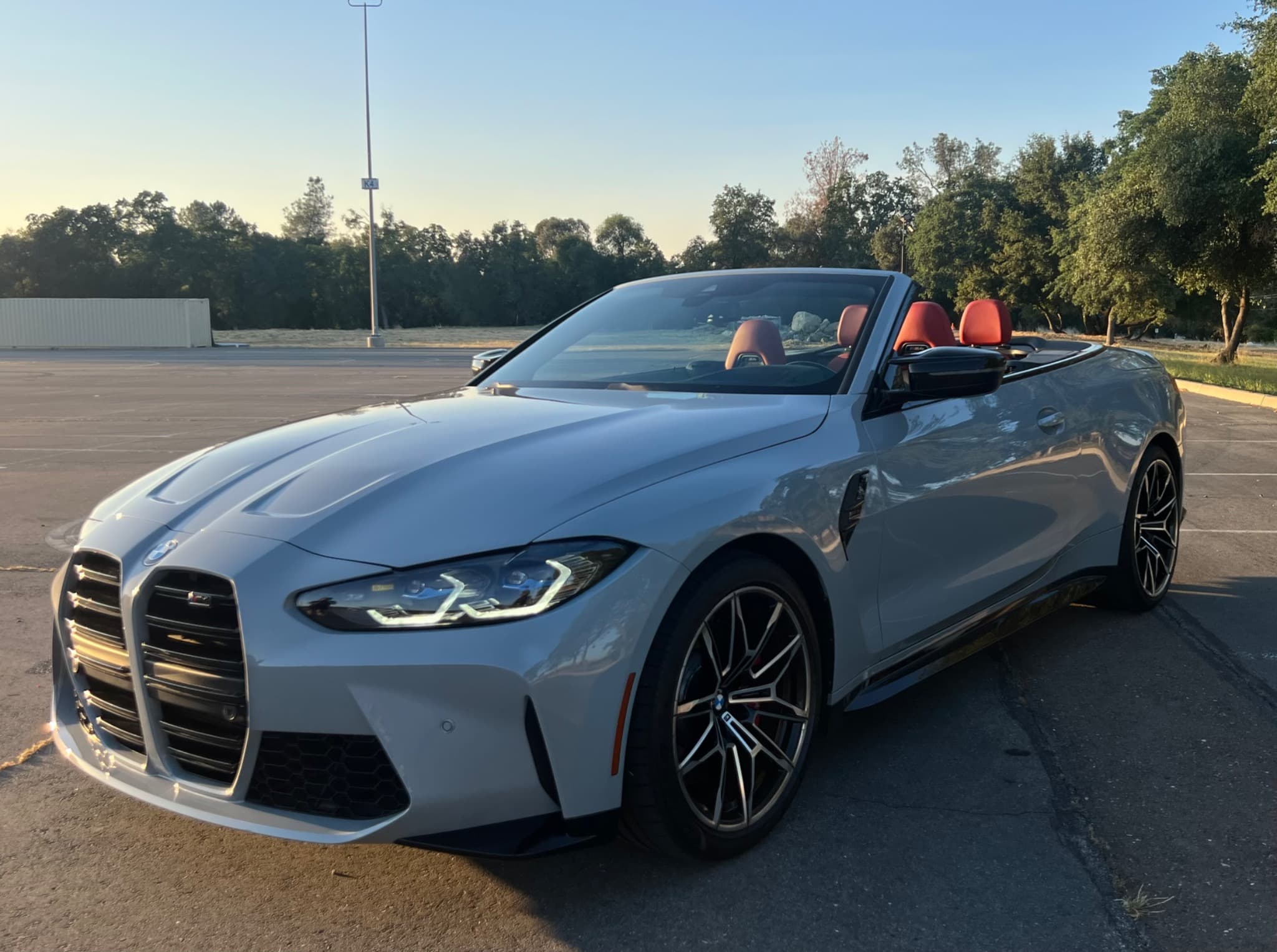
Welcome to Your BMW M4 Competition
Thank you for choosing Drive Elevated. The BMW M4 Competition Convertible is one of those rare vehicles that can feel refined, comfortable, and easy to enjoy one moment, then transform into a sharper performance machine with the press of a button.
What makes the M4 special is how much it can adapt to you. Take a few minutes before you leave to set up the seat, mirrors, heads-up display, climate, lighting, and drive settings. Those small details make the entire trip feel more personal and more effortless.
My goal is simple: I want you to feel confident using the BMW’s technology, comfortable with its controls, and excited to enjoy the precision that makes the M4 such a rewarding car to drive.
Enjoy the drive. — JR
Start Here
Make It Yours
Seats, mirrors, heads-up display, climate, lighting, and comfort settings.
Drive Modes
Comfort, M1, M2, and when to use each setting.
Convertible Top
How to open or close the top with confidence.
Transmission
Drive, reverse, manual mode, and paddle shifters.
Hey BMW
Use voice commands for directions, climate, and vehicle functions.
Return
Simple reminders before drop-off.
Drive Elevated Tip
Five Things Every BMW Guest Should Know
Take 10 Minutes
The BMW rewards setup. A few minutes adjusting the car to you makes the entire trip feel better.
Comfort First
The M4 starts in Comfort Mode, which is the best balance for normal driving, cruising, and city use.
M1 Is the Sweet Spot
M1 gives you the sharper, louder, more responsive M4 experience without going straight to the most aggressive settings.
Use Hey BMW
Voice commands are genuinely useful. Navigation can appear in the heads-up display, keeping your focus on the road.
Back In When Possible
The front end sits low and there is no front camera. Backing in gives you better control and an easier exit.
✨ Make It Yours
The BMW M4 is designed to adapt to the driver. Spend five to ten minutes setting it up before you leave, and every mile of your trip will feel better.
Adjust the seat and mirrors first, then fine-tune the heads-up display so it sits comfortably in your line of sight. Connect your phone, confirm navigation is working, and set the climate controls the way you prefer.
The BMW also allows you to adjust the interior ambient lighting with several color combinations. It may sound like a small detail, but the lighting changes the feel of the cabin and can completely shift the mood of the drive.
Heads-Up Display
Climate & Seats
Interior Lighting
Phone Pairing
⚙️ Drive Modes
The M4 starts in Comfort Mode, which gives the car its best everyday balance. It is smooth, comfortable, and easy to enjoy for city driving, highway cruising, and longer trips.
The M1 button activates Sport Mode. This is the mode I recommend when you want the M4 to feel more alive. It sharpens the car with quicker shifting, stronger response, firmer handling, more responsive braking, and a noticeably louder exhaust.
The M2 button is much more aggressive. It opens the car up further and reduces traction intervention. I recommend using M2 sparingly. Most guests will get the performance experience they want from M1. M2 is best reserved for highly experienced drivers and ideal road or track conditions.
To return to Comfort Mode, press the active M button again.
☀️ Convertible Top
The M4 Competition is best enjoyed with the top down when the weather allows. The convertible top operation is simple, but give it your full attention.
With the vehicle in Park, press and hold the convertible top button until the operation is fully complete. When closing the roof, continue holding the button so the windows complete their operation as well.
I recommend operating the top while stopped whenever possible. Make sure there is enough clearance around the vehicle and allow the full cycle to finish before driving away.
⚙️ Transmission
Drive & Reverse
Manual Mode
🎙️ Hey BMW
One of the most useful features in the BMW is the voice assistant. Try saying “Hey BMW” followed by what you need.
You can ask for directions, nearby gas stations, climate changes, and other vehicle functions. When using BMW navigation, directions can appear in the heads-up display, which creates a very clean and useful driving experience.
Example: “Hey BMW, take me to the closest gas station.”
⛽ Fuel
🅿️ Parking & Clearance
Trip Planning
📦 Luggage & Cargo
Wondering if everyone and their luggage will fit? View real trunk measurements, photos, and tips for traveling with the convertible top up or down.
View Luggage Guide →✅ Returning Your BMW
Quick Return Checklist
- • Return on time.
- • Bring fuel back to the agreed level.
- • Remove personal items.
- • Take required Turo photos.
- • Message through Turo if anything changes.
Need Help?
For active reservations, please message through your Turo trip thread so all communication stays connected to your booking.
Signature Journey 001
Planning a Napa Valley Drive?
Before heading straight to your hotel, explore our Drive Elevated Signature Journey to Napa Valley. It includes coffee stops, the Yolo Causeway, Davis, Silverado Trail, curated Napa stops, and ways to make the drive part of the experience.
Read Journey 001 →